Construction safety software · Field-first
The construction safety app that starts with real site evidence.
Walk the site. Capture photos. Review AI-assisted hazard suggestions. Assign corrective actions and keep a traceable report. Built for the people doing the inspections, not just the people reading them.
Example analysis is for illustration. Real findings require human review; account access is required for uploading site photos.
01
Capture site evidence
Photograph the areas, tasks and observations that need a closer look while walking the site.
02
Review AI suggestions
Review and correct possible hazards. No unverified AI suggestion automatically becomes a confirmed finding.
03
Assign corrective work
Turn confirmed findings into actionable follow-ups with responsible owners and supporting evidence.
04
Create a traceable report
Record what was found, reviewed and resolved, including the decisions made by your safety team.
What teams actually need
Less paperwork. Better review of visible safety concerns.
A useful site safety app should make it easy to capture observations, record the reviewer's decision and track the next step. These are the parts of ScanHaz to evaluate during a product trial.
Construction site inspections
Practical field capture on mobile devices rather than re-entering notes at a desk.
Human-in-the-loop AI
Suggested findings, review states and a separation between AI support and human authority.
Sites and work areas
Link walkthroughs and findings to the site being inspected.
Evidence and reporting
Traceable safety records for internal follow-up and documentation workflows.
See what ScanHaz finds in seconds
Explore a previously analysed sample photo to see how suggestions are presented for human review. This is a replay, not a new live scan.
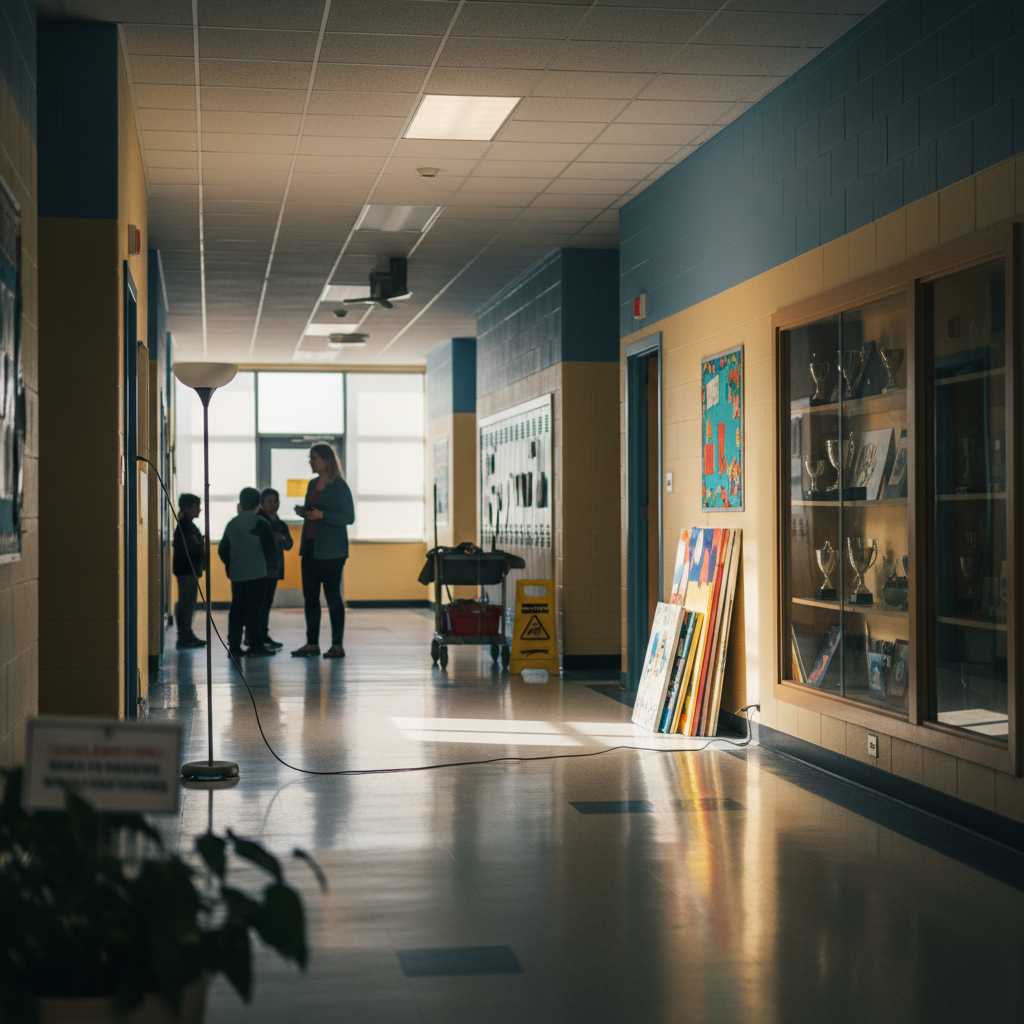
Configured example site photo
See what ScanHaz finds 👀
How review-first scanning works
A school corridor showing a floor lamp with a trailing cable across the walkway, a wet floor sign near a cleaning trolley, and loose items leaning against a display cabinet.
How ScanHaz compares with traditional site inspections
| Workflow | Paper / disconnected photos | ScanHaz approach |
|---|---|---|
| Photo evidence | Usually stored separately | Capture within a site walkthrough |
| Potential hazard review | Manually identify and transcribe | AI suggestions with mandatory human review |
| Corrective actions | May require another spreadsheet | Linked remediation and ownership |
| Reporting | Manually collated | Structured reviewed evidence and reports |
This is a workflow comparison, not a claim of measured time savings or legally sufficient compliance.
Common questions
What does a construction safety app do?
It helps teams capture inspections, track observed hazards, document actions and manage the records used in their safety programme.
Can ScanHaz recognise hazards from site photos?
ScanHaz uses AI to suggest possible findings from visible evidence in site images. Every finding still needs a competent human reviewer to confirm, correct or dismiss it.
Can I inspect a construction site using my phone?
Yes. ScanHaz supports mobile photo capture and site walkthroughs. Low-connectivity capture and later syncing are supported in the walkthrough workflow; confirm your device setup before relying on it operationally.
Can ScanHaz certify my site as compliant?
No. ScanHaz provides documentation and review tools, not legal certifications or a substitute for competent inspection and required controls.
How do I see ScanHaz in action?
You can explore the example photo analysis on this page. To upload your own site photos and create a reviewed record, sign in and use the ScanHaz walkthrough.
See how your team could use ScanHaz.
Review an example first, then sign in to capture and review your own site evidence.
Support
Get in Touch
Need a product walkthrough or have a question? Send us a message and we'll follow up.